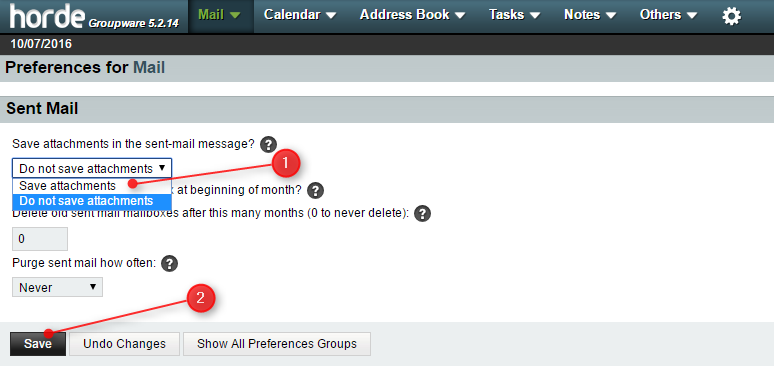
By default, Horde Webmail does not save sent email attachments. If you want to keep all attachments in sent emails, please change the settings with the steps below:
1) Login to your Horde Web mail
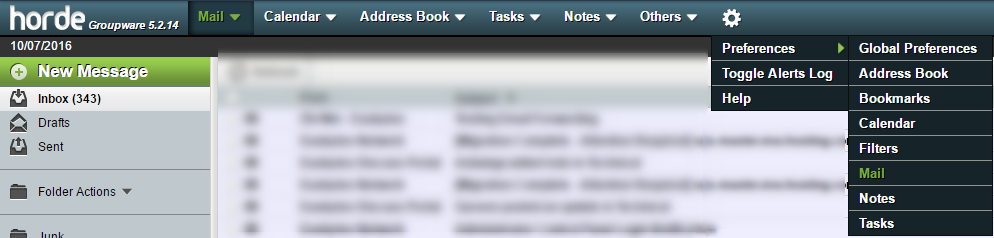
2) Search Prefrence > Mail
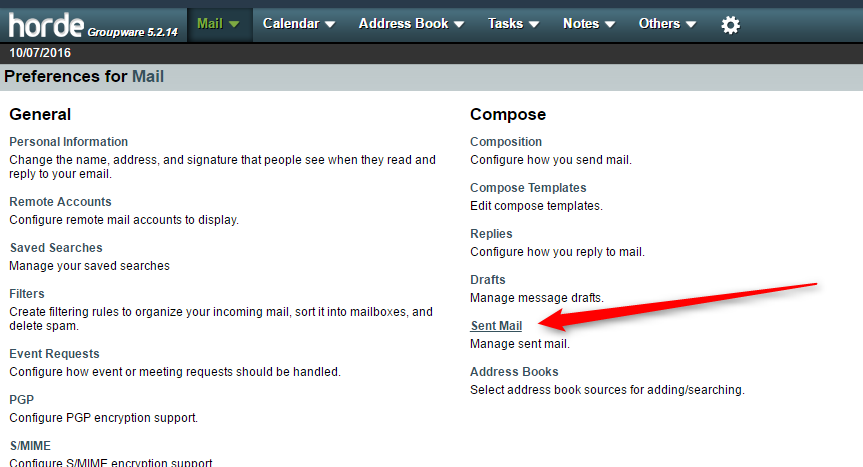
3) Klik "Sent Mail"
4) Ganti "Do not save attachments" ke "Save attachments".