
Question :
How do I recover lost two-factor authentication?
Answer :
First, if you lost two-factor authentication then login by using backup codes. Backup codes provided when you initially setup 2FA. These codes are designed for those who lost main 2FA method. If you backup the codes, then you may use it.
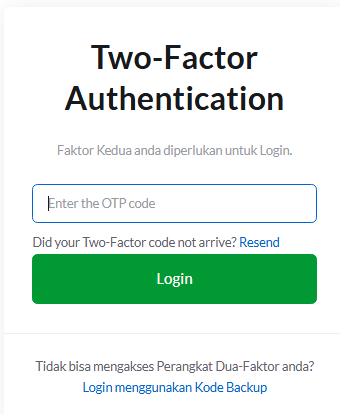
How to use code backup?
- Click Login menggunakan Kode Backup.
- Enter your backup code.
- Login
Second, if you loss your backup codes, please send email to support@exabytes.co.id and inform us that you wish to reset the code. Once resetted, you can login to client area however you will not able to see your services / products yet. You are forced to setup the 2FA.