
Question :
How to configure Mailbox Protection Settings in Spam Expert?
Applicable to :
- cPanel Lite / Beginner / Plus / Pro / Max
- Plesk Mini / Plus / Pro / Max
- WP Beginner / Business / Commerce / Ultimate
- VPS Linux SSD / NVME
- Exabytes Business Email (Bizmail)
- Dedicated Servers
Answer :
Make sure you login to Spam Expert control panel from client area. And then proceed to login to panel.
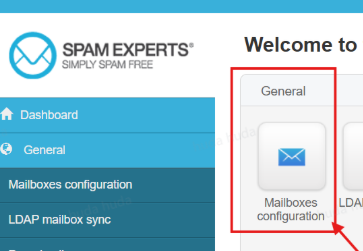
Go to Mailboxes Configuration.
Make sure Mailbox protection and processing mode is set to Protect All Mailboxes.
You may protect some folders ie. some of them protected, and some of them is not protected.
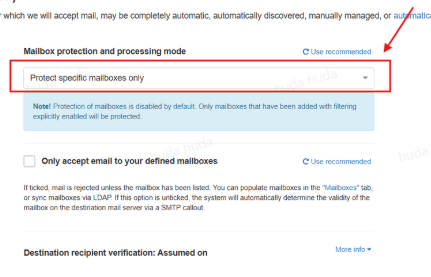
If you let your Mailbox unprotected, then spam and bad email might saturated your mailbox. However, if you set your Mailbox protected, then most of spam and bad email will be filtered.
Don't forget to Save Settings.