
What is the "Block password-protected archive attachments" function?
Spammers often use the trick of sending password-encrypted files in hopes of bypassing filters, and mentioning "password" in the body of the spam message. These messages can be blocked by enabling the "Block Password-Protected Attachments" feature. By default, this feature is automatically enabled.
How to unblock this function
1. Log in to the SPAM Expert dashboard through the client area. If you're unfamiliar with this, please refer to the guidelines below:
(How to Login to SPAM Expert Dashboard) Please click e-nya.
2. In the Domain-Level Control Panel, select Login - Protection Settings > Attachment Restrictions. Remember to uncheck the "Block password-protected archive attachments" option.
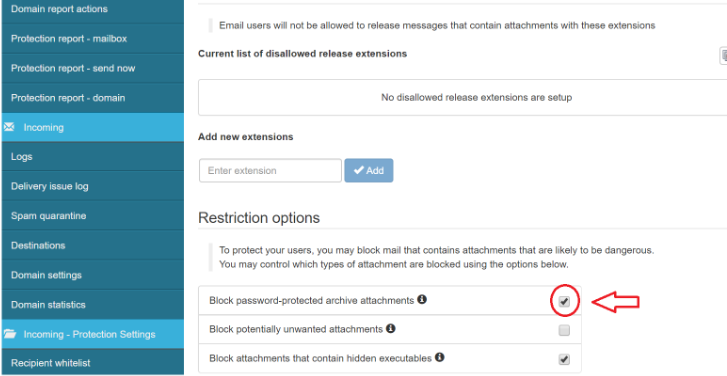
3.Remember to click "Save" and this function will not work.