Question :
How to Save Resources and Secure Access with the Geo Restriction?
Answer :
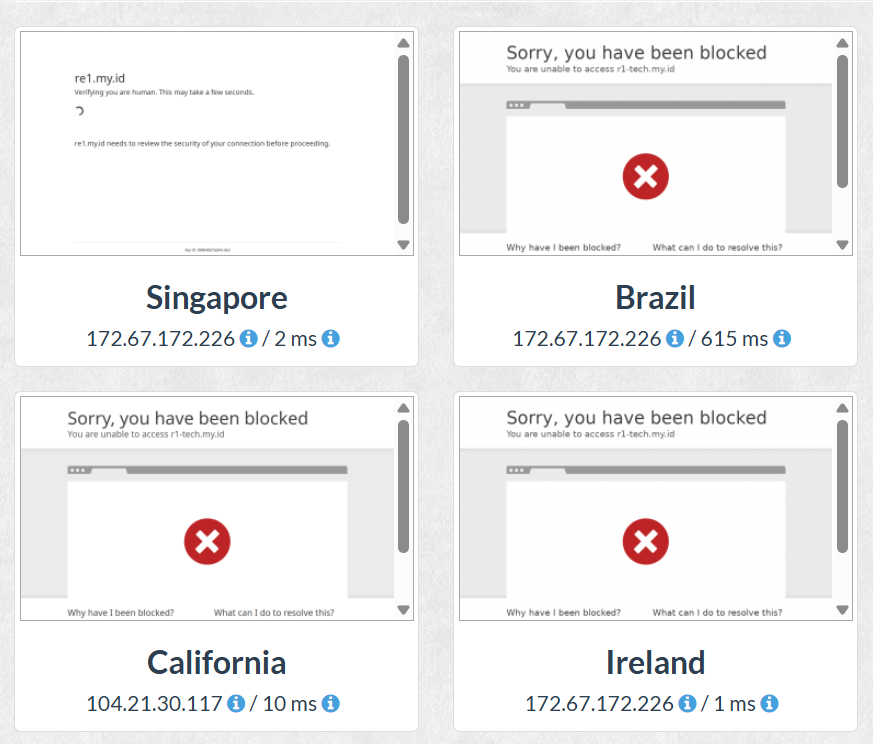
Geo-Restriction helps save resources and increase security by only opening access for target demographic countries (e.g. Indonesia and Malaysia) and blocking access from other countries that are irrelevant or at high risk of attack.
1. Login ke Dashboard Cloudflare
URL: https://dash.cloudflare.com/
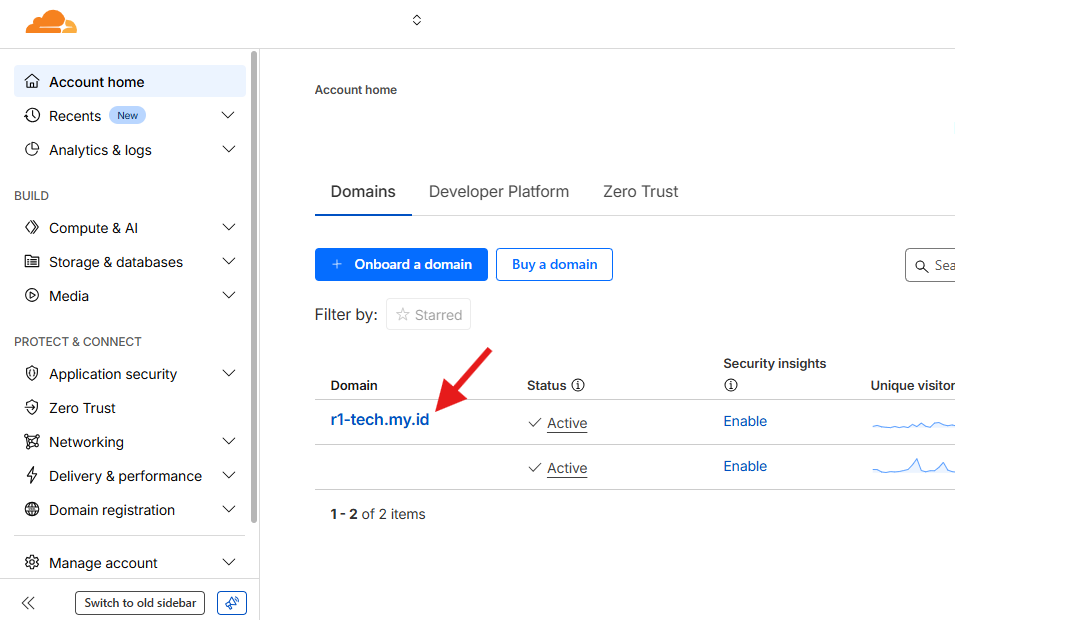
2. Click domain you wish to setup:
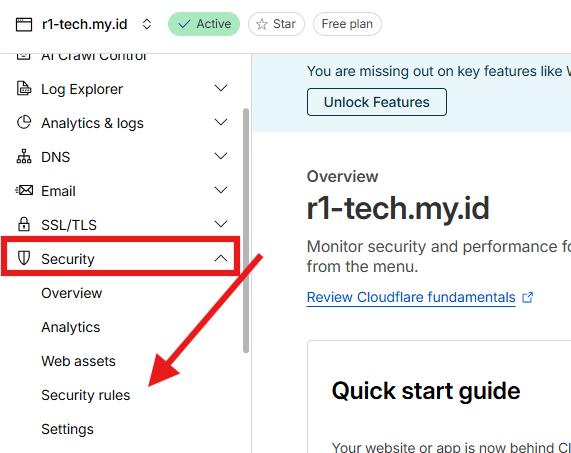
Choose "Security rules" within 'Security'
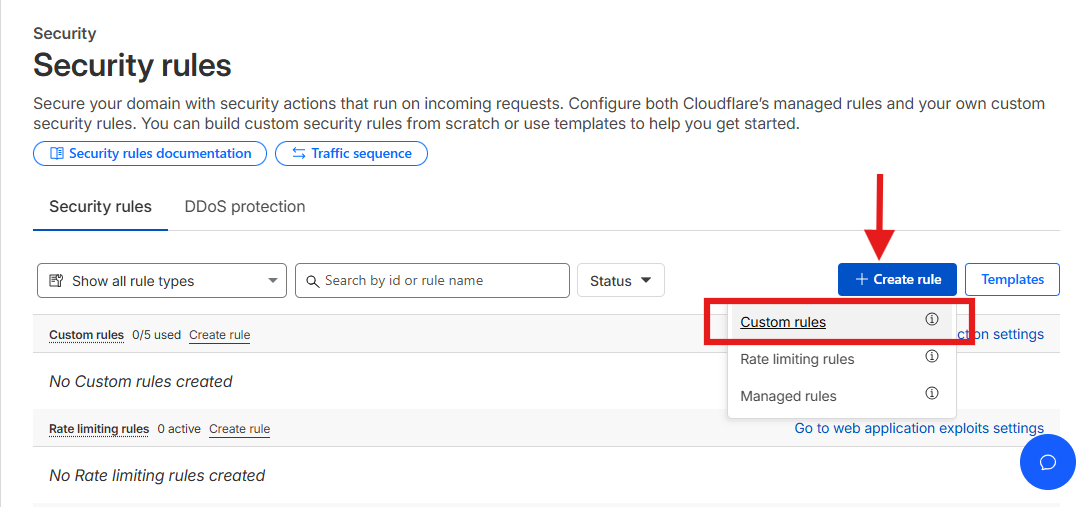
Security Rules will be opened, then click menu "Create Rule" and choose "Custom Rules".
See below:
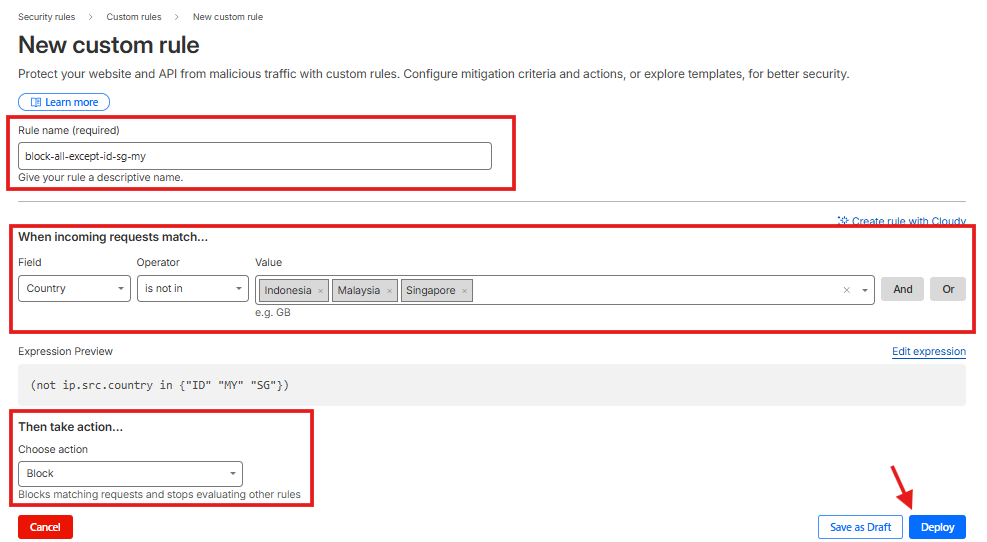
Rule name: Enter the name of the rule to be created, this is only necessary to make it easier to identify the rule later.
When incoming requests match: 1. Field = Country 2. Operator = is not in 3.
Value = Fill in where your website/domain can be accessed (list of countries that are permitted to access)
In this guide we will allow Indonesia, Malaysia and Singapore to access Then take action: Block
If you are done, click deploy.
Once done, you will be redirected to this page.
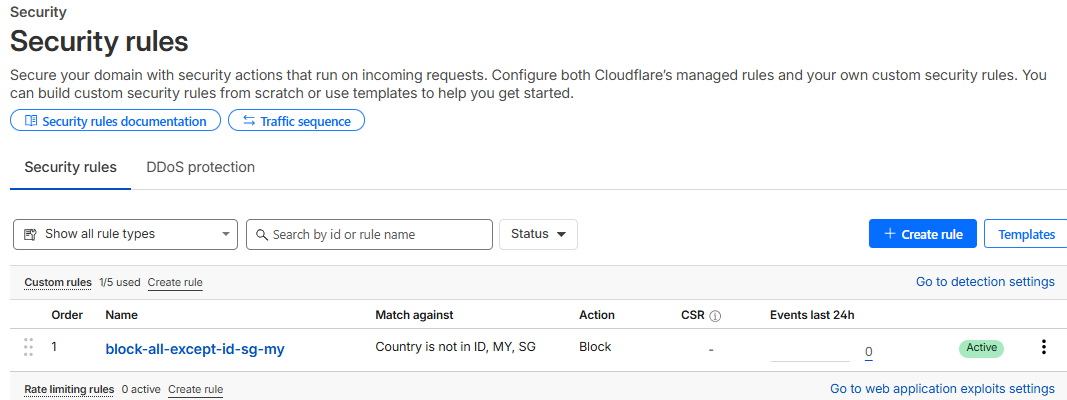
This way, your website/domain can only be accessed by countries you authorize. This can be a step to secure and conserve resources from unauthorized access.