
If you missed our previous guide on how to create a new email account, you can read it here:
https://support.exabytes.co.id/en/support/solutions/articles/14000167861-create-a-email-account-cpanel-v17
Now that you have successfully created your email account, the next step is to learn how to manage and configure it for optimal use.
PART 1: Password Reset/Adjustment
1.)Login to your domain cPanel:
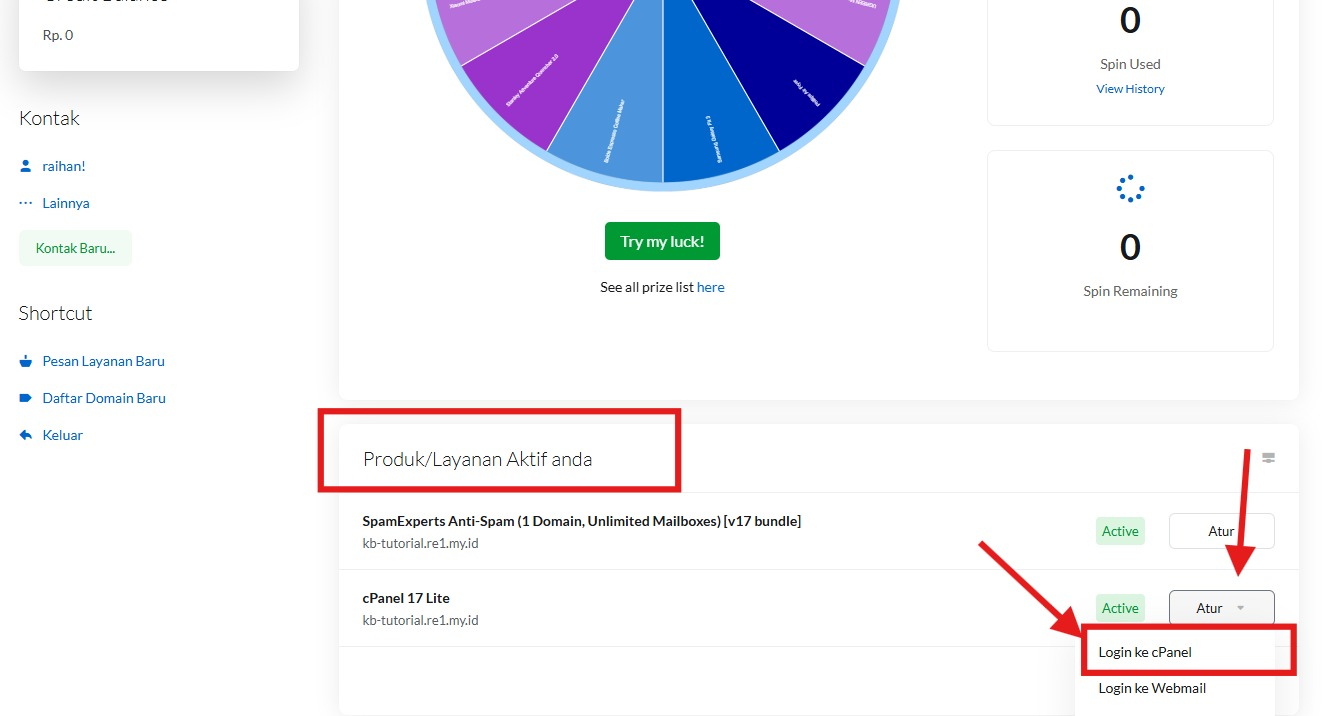
2.) Navigate to Email Settings: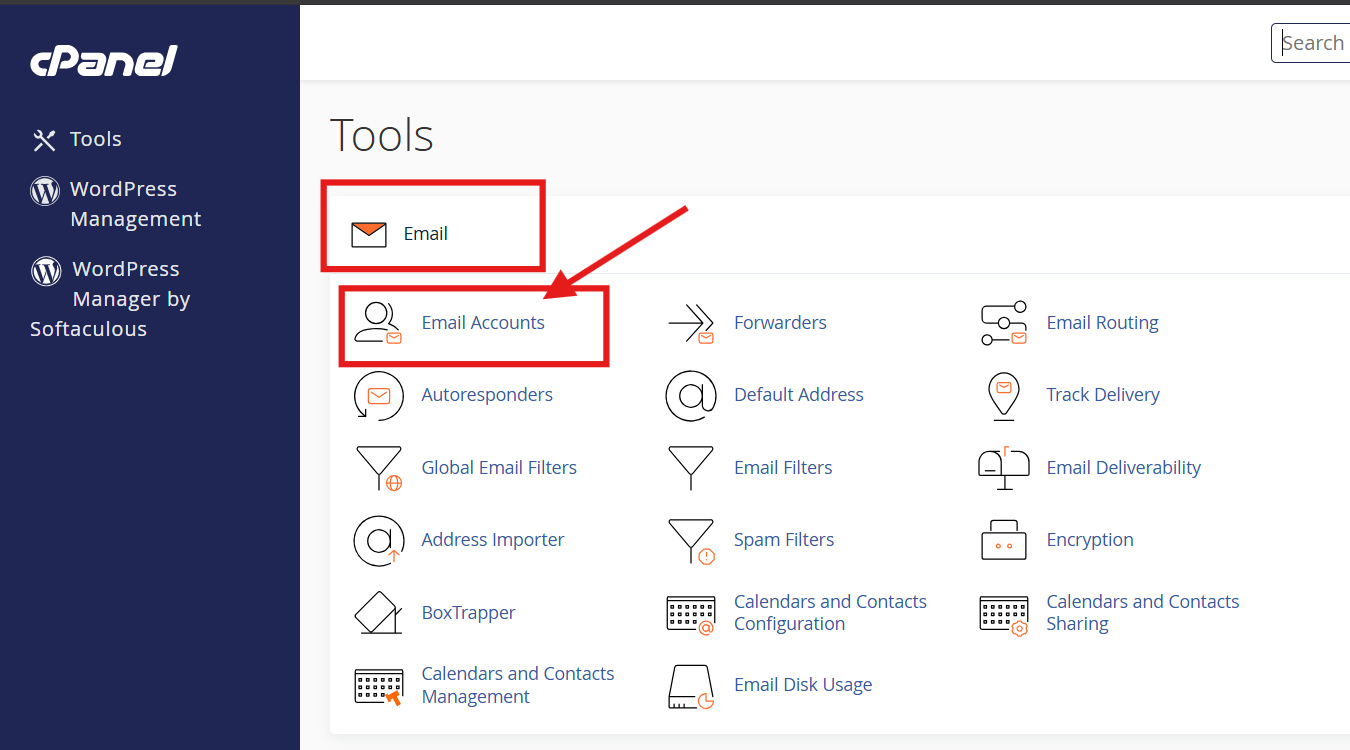
3.) Search for specific account you want to adjust, then click manage: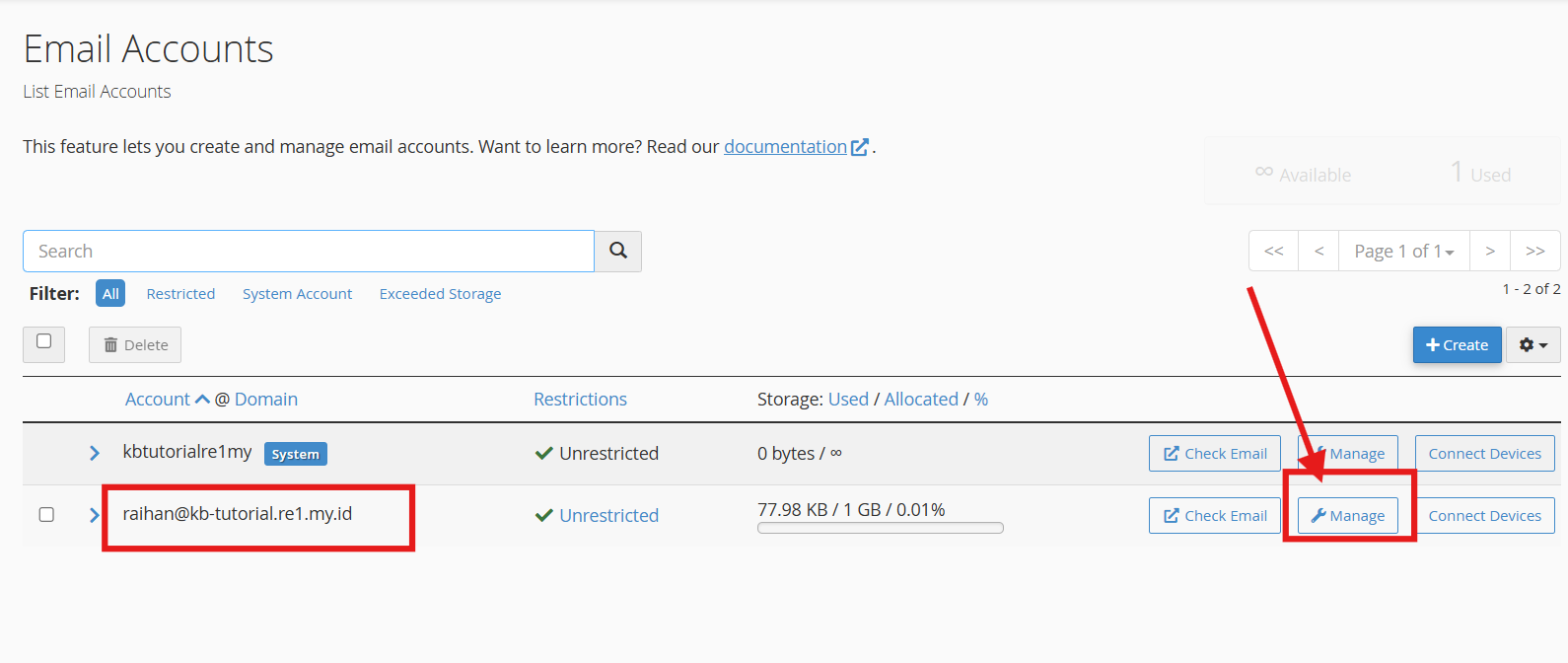
4.) To adjust / set a new password, fill the new password or click 'generate' to allow system to create a secure, strong password for the account. It is highly recommended that you use strong/unique password.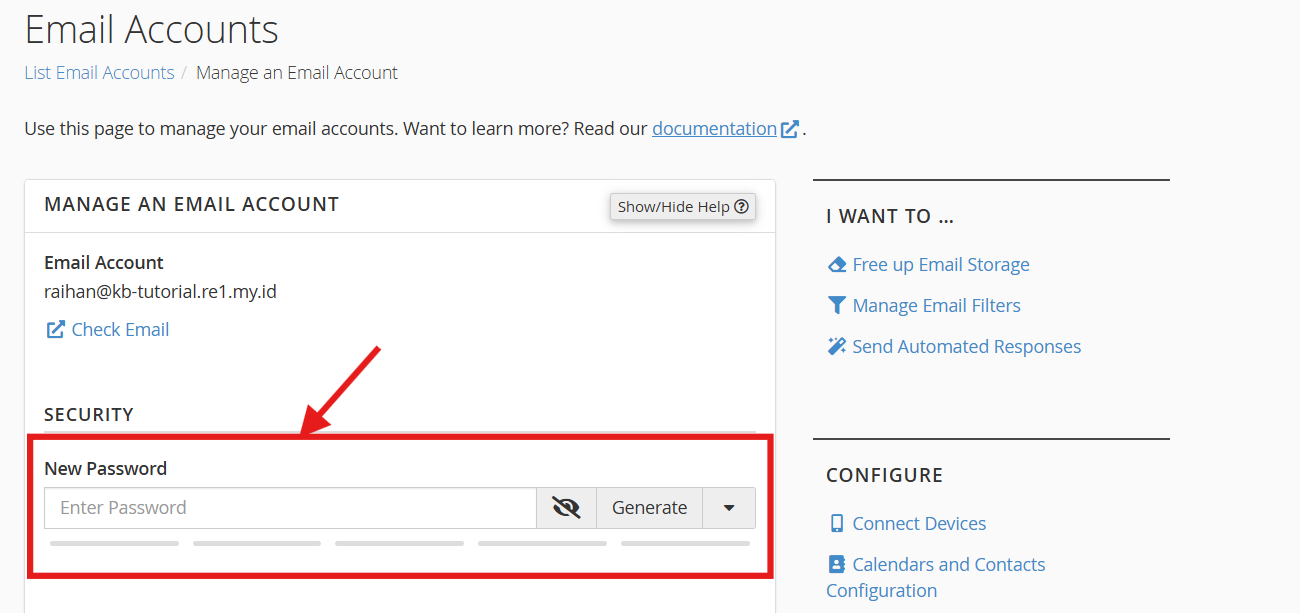
Once done, scroll down and click "Update Email Settings" to save the changes.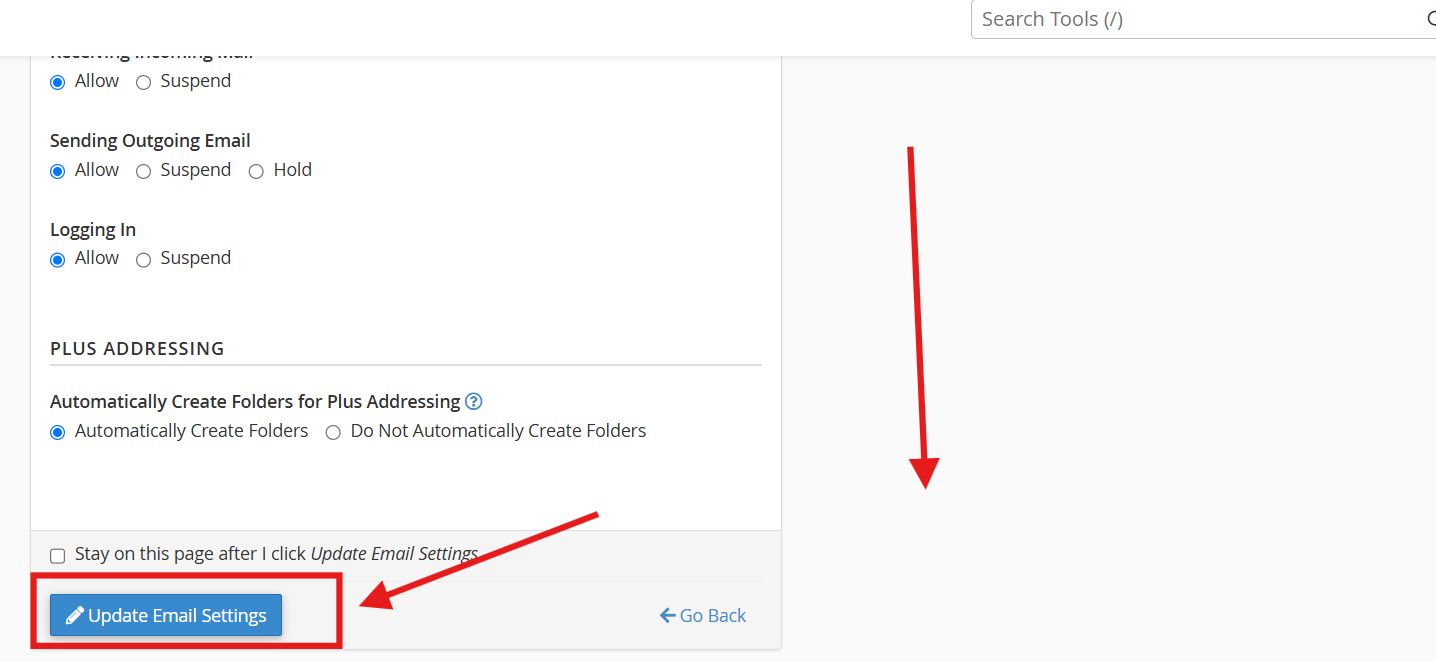
* Not done yet with the adjustment? tick "Stay on this page after I click Update Email Settings"
PART 2: Administrative action to a Account.
This is how you could restrict or control specific action to an account.
1.) In the same page as previous part, scroll down until you see "Restrictions" menu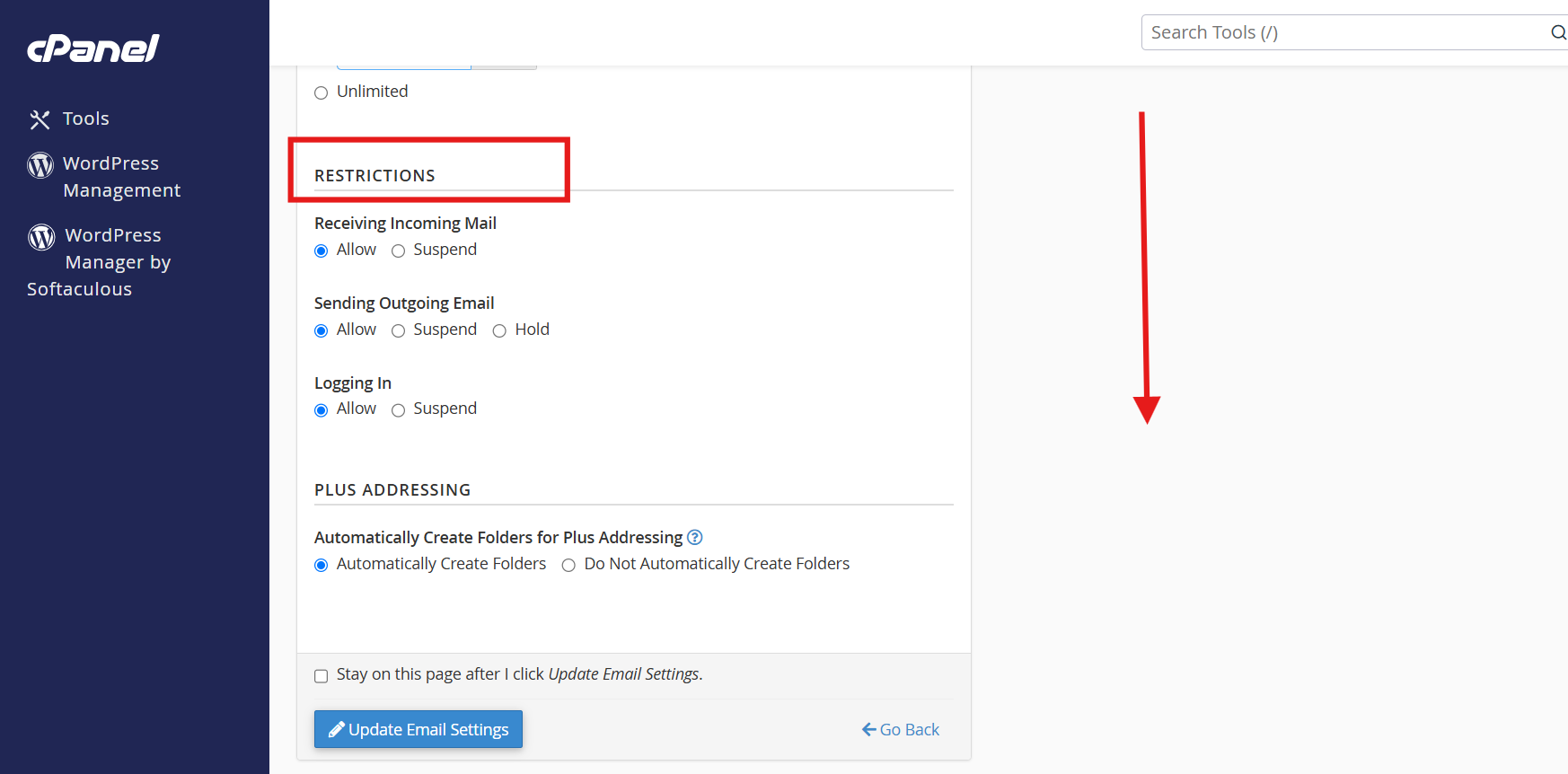
Here is what you should know before making any changes:
Receiving Incoming Mail: Controls whether the email account is allowed to receive incoming messages (Allow) or is suspended (Suspend).
Sending Outgoing Email: Manages outgoing email activity with options to allow (Allow), suspend (Suspend), or hold messages in the server queue (Hold).
- Logging In: Controls access to log into the email account, allowing you to either permit (Allow) or temporarily block (Suspend) access.
Adjust accordingly, and click "Update Email Settings" to save the changes.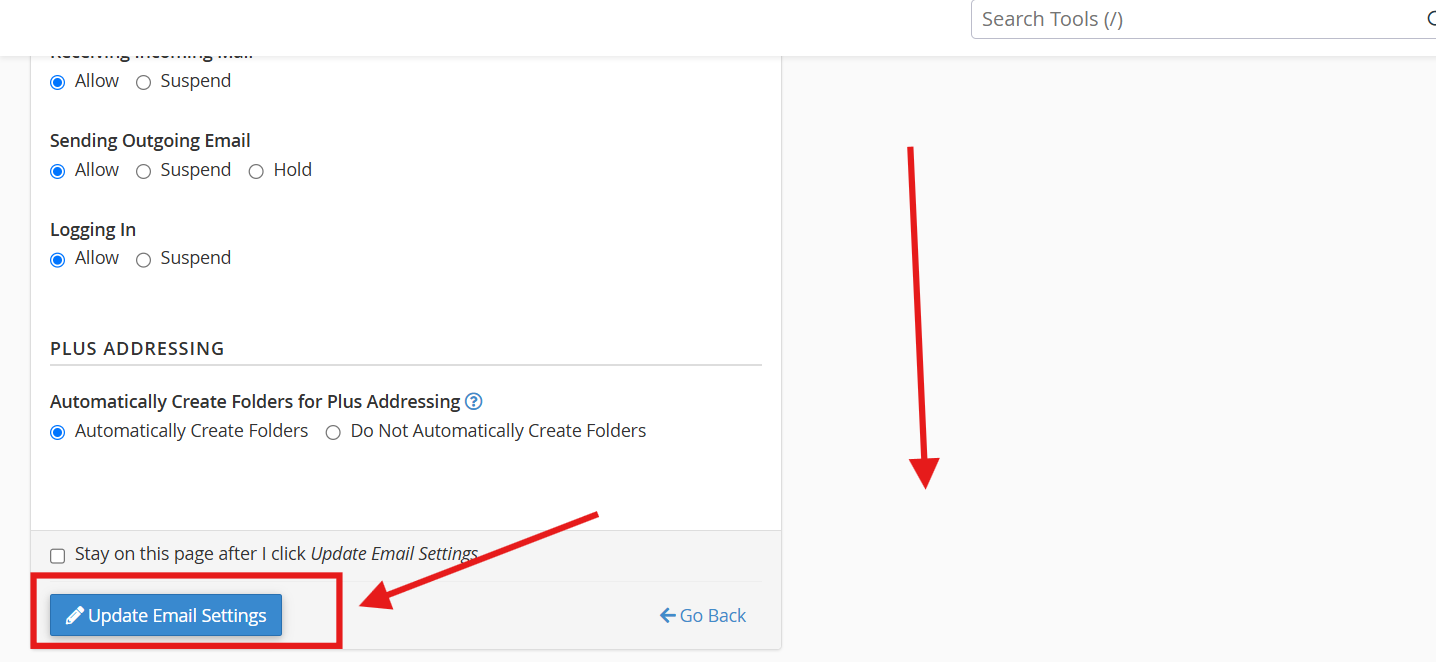
PART 3: Delete a Email Account
If a email account is no longer in use, you can delete it. However, always keep in mind that this will delete all data in the account with no possible way to recover, unless server-side data recovery is conducted (kindly check your plan Backup Retention details)
1. In the same page as previous part, scroll further down to "Delete Email Account" section.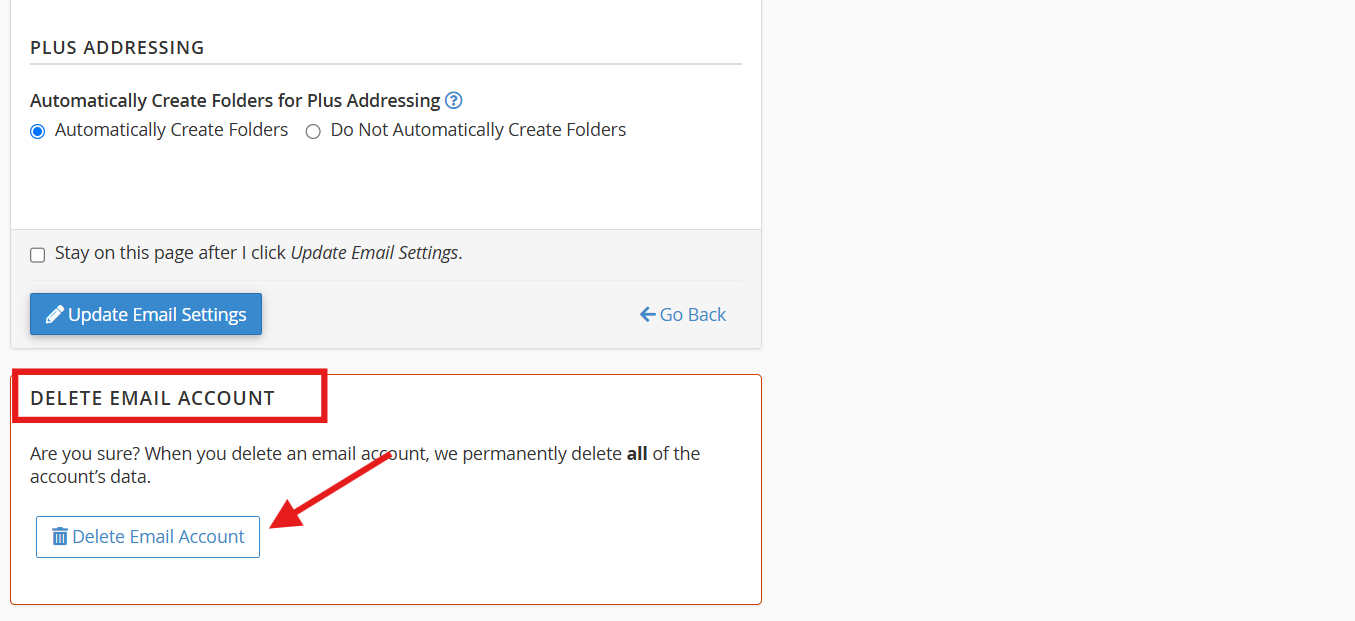
2. To proceed, click "Delete Email Account" button. This will erase ALL DATA within that account.